Your options for preloading images with JavaScript
There are a number of ways to preload an image on demand with JavaScript — each with their own strengths & drawbacks. Let's explore them.
I just learned that the task of preloading images with JavaScript is surprisingly quirky. There are actually several ways to do it, and the best one to choose can very much depend on the circumstances. Let's explore them through the lens of what I was trying to accomplish before running into all of this.
The Scene


The latest version of JamComments supports dragging and pasting images into the comment box. It feels very much like dropping an image into a GitHub PR:
When building this out, everything looked great, up until comment submission, when the "pending" comment would be tacked to the top of the list. At that point, that image would be rendered for the first time. But because it hadn't actually been fetched yet, it would annoyingly load in after the comment had been mounted:

Icky, but solvable. I just needed to fetch that newly uploaded image behind the scenes as soon as it was uploaded. By the time the user submitted the comment, it would already be cached and snap right in.
A Lotta Ways to Preload
At the time, I was aware of two primary ways to preload images in JavaScript (as you'll see later, I've since bumped into a few more). If you do a quick Google, chances are you'll get this one first:
Option #1: new Image()
This one's been around forever: instantiate a new Image object and set its src attribute. That'll trigger an immediate download, caching it for when it's later rendered.
const img = new Image();

// Cause image to be fetched & cached:
img.src = "https://picperf.io/whatever.png";
There are a couple of nice perks to this approach: you can schedule code to execute when that loading is complete, and have direct access to properties like its dimensions before showing anything on the page:
const img = new Image();
img.src = url;

img.onload = () => {
  console.log('image loaded!');
  console.log({
    'height': img.naturalHeight,
    'width': img.naturalWidth
  });
};
Under most circumstances, it's a great way to go. I made a simple setup to verify it (we'll build onto this later). On the front end, an image is rendered after two seconds:
<img src="" id="imageEl" style="display: none" />

<script>
  const imageEl = document.getElementById("imageEl");
  const url = "http://localhost:3000/image.png";

  // Pre-cache the image:
  const img = new Image();

  // By default, it'll have "low" priority:
  img.fetchPriority = "high";
  img.src = url;

  setTimeout(() => {
    // instantly loads in due to it being cached already.
    imageEl.src = url;
    imageEl.style.display = "block";
  }, 2000);
</script>
On the back end, a simple Express endpoint kicks back a static image:
app.get('/image.png', (_req, res) => {
  res.sendFile(path.join(__dirname, 'image.png'));
});
The outcome is exactly what we want. After a couple of seconds, the already-cached image snaps right in. No lag.

And in the Network tab, you'll see just one image request that fires on page load (thanks t0 our new Image()).
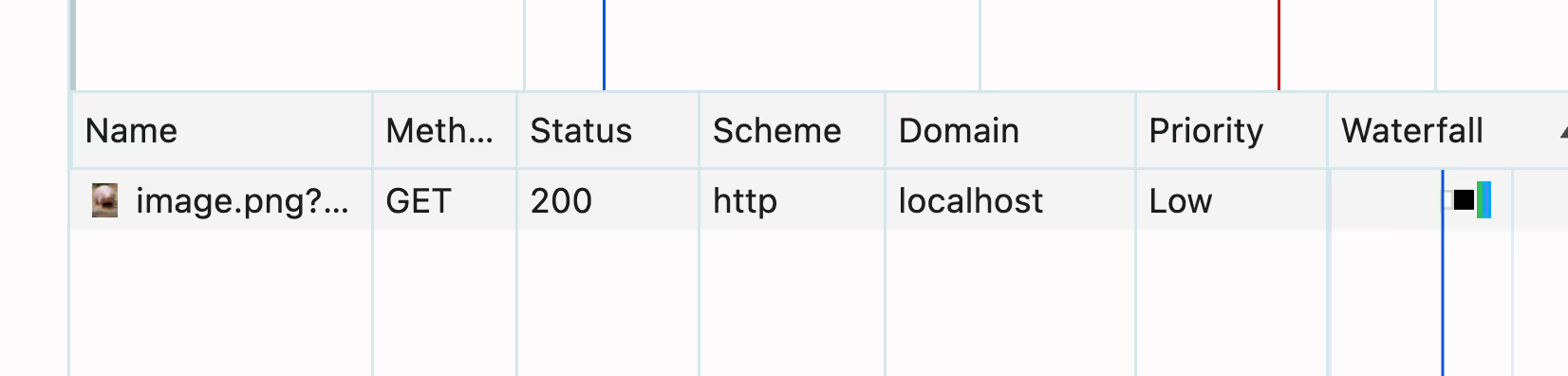
Makes sense! The image was immediately fetched (and cached), which meant it could be very quickly accessed when needed. This tactic is not without a potential gotcha, though.
Best Not to Assume It's Cached
The only reason this works is because the fetched image is saved in the browser's HTTP cache after initial retrieval. Usually, you're fine to assume this will happen. Even if the image doesn't have its own Cache-Control header, the browser's heuristic caching will save the day:
HTTP is designed to cache as much as possible, so even if no Cache-Control is given, responses will get stored and reused if certain conditions are met. This is called heuristic caching.Still, it's an assumption bound to be wrong sooner or later. Let's see what happens when, for whatever reason, the image comes back with a Cache-Control header that explicitly tells the browser to not cache it.
app.get('/image.png', (_req, res) => {
+  res.setHeader('Cache-Control', 'no-store');
+
  res.sendFile(path.join(__dirname, 'image.png'));
});
Now, we see two requests to the same image:
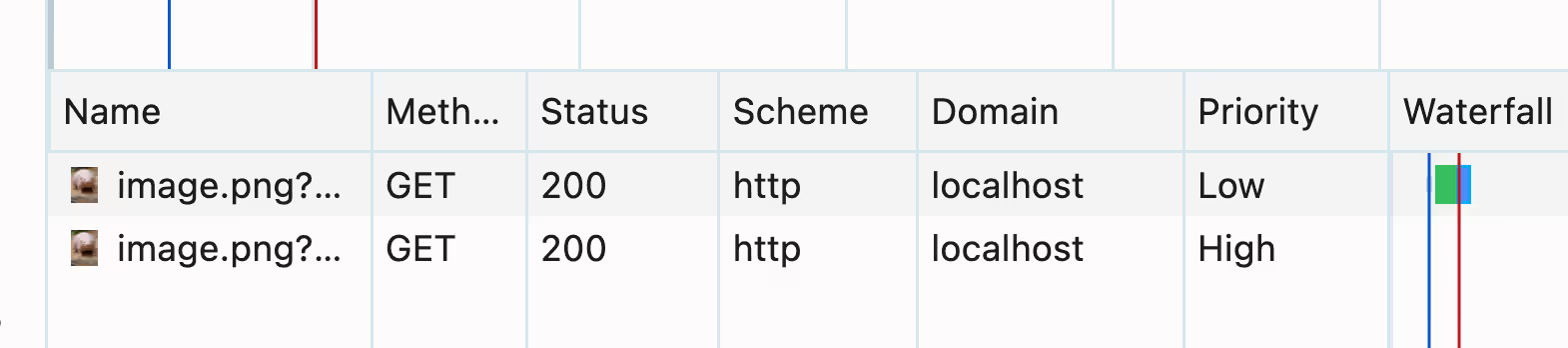
And the rendering doesn't look too hot anymore:

The reason for that, of course, is that we're not actually caching the image because we're at the mercy of the server's prescribed caching strategy. Good news, though. There's a more reliable way to make it happen.
Option #2: <link rel="preload" />
The browser has had a way to declaratively preload assets for almost a decade now. Injecting the following into your HTML tells the browser that a resource will definitely be needed on this page, so it should go ahead and download it with elevated priority:
<head>
  <link rel="preload" href="https://example.com/image.png" as="image">
</head>
We can make this happen with JavaScript too. Create the element and tack it onto the document. As soon as it's mounted, the browser will run with it. (A small note... when injected with JavaScript, <link rel="preload" /> tags will download the resource with a "low" priority, unless explicitly configured otherwise).
const link = document.createElement("link");
link.rel = 'preload';
link.as = 'image';
link.href = "https://example.com/image.png";

// Slight quirk... to maintain "high" priority, we gotta set this:
link.fetchPriority = "high";

// Stick it at the end of the page's <head />:
document.head.append(link);
Let's try it in our setup. Remember: due to the "no-store" Cache-Control header, the image we're fetching is not supposed to be cached by the browser.
<img src="" id="imageEl" style="display: none" />

<script>
  const imageEl = document.getElementById("imageEl");
  const url = "http://localhost:3000/image.png";

  // Preload the image:
  const link = document.createElement('link');
  link.rel = 'preload';
  link.as = 'image';
  link.href = url;
  link.fetchPriority = 'high';

  document.head.append(link);

  setTimeout(() => {
    // instantly loads in due to it being cached already.
    imageEl.src = url;
    imageEl.style.display = "block";
  }, 2000);
</script>
Still, now we see a single image request go out:
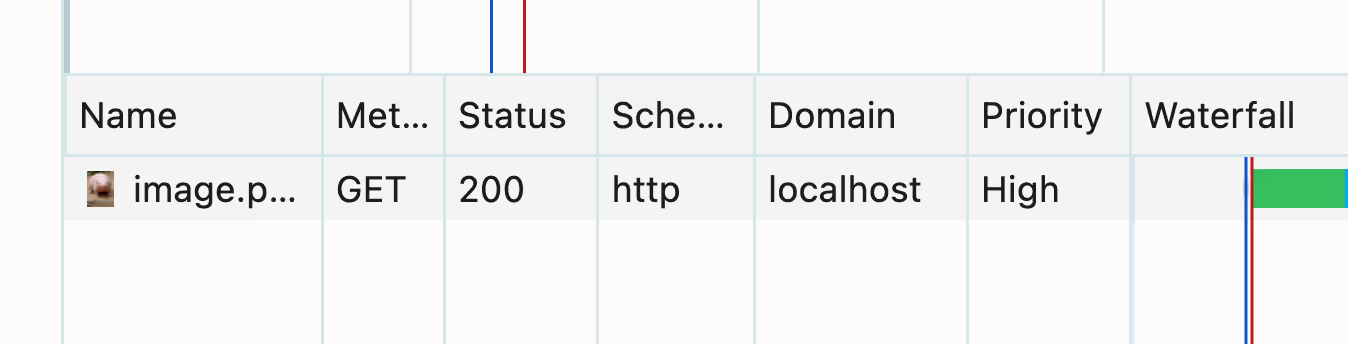
And look at that. The image snaps right in with no lag. Just like we want.

This trick gets around the "no-store" problem because of where the asset is stored after being fetched. The HTTP cache is bypassed altogether. Instead, a designated "preload cache" is where it lives until needed. When it's time for the image to render, this is the first place that's checked, allowing it to pop right in.
What if it takes too long to preload?
Good question. Let's say the user's connection is really slow. We don't want this sequence to happen:
- Preloading begins, triggering an HTTP request.
- Image is requested by
<img />tag, triggering another HTTP request. - The initial preloaded request completes and is now useless.
Fortunately, the browser is smart enough to prevent this from happening. If the image is needed before preloading is finished, it'll wait for the pending request to finish, rather than starting a totally new one. I verified this by emulating a 3G connection. The image lagged as expected. There just wasn't enough time to fully preload the resource before it was needed:

But there was still only one image request:
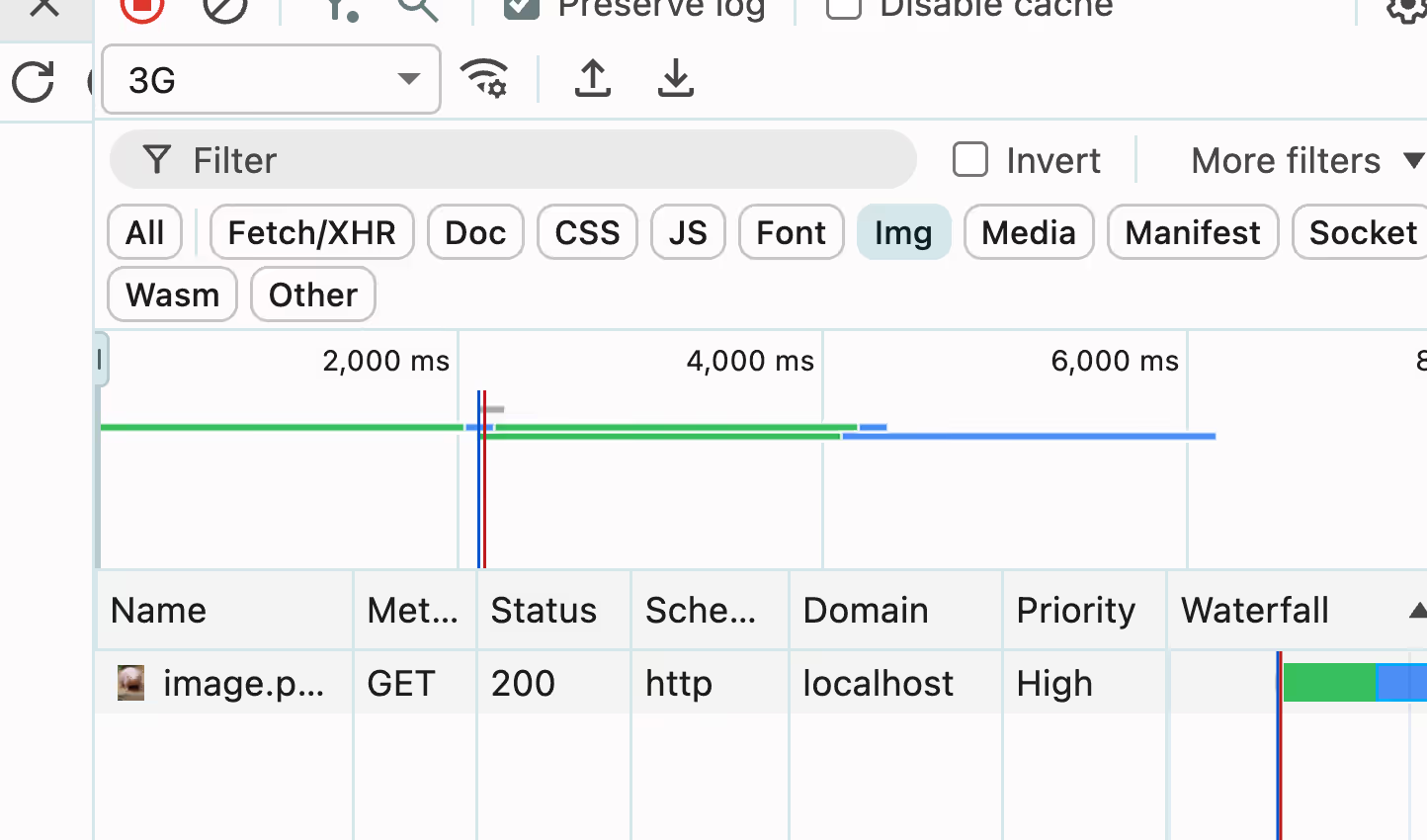
(It's little things like this that make me grateful for the smart people building smart browsers, by the way.)
Other Options to Know About (but which are pretty "meh" for my use case)
I'm guessing that for most of the preloading you'll need to do, the above two options will be more than sufficient. Still, I wanna be thorough. One of these remaining approaches might be just what you need in odd circumstances.
#3. Hidden <div /> and a CSS Background Image
You'll see this one float around occasionally: create a hidden div, set a background image, and mount it to the DOM.
const div = document.createElement("div");
div.style.backgroundImage = "url('http://localhost:3000/image.png')";
div.style.visibility = "hidden";
div.style.position = "absolute";
document.body.appendChild(div);
That'll trigger a request as soon as it's mounted, which will (interestingly), be automatically given "high" priority:
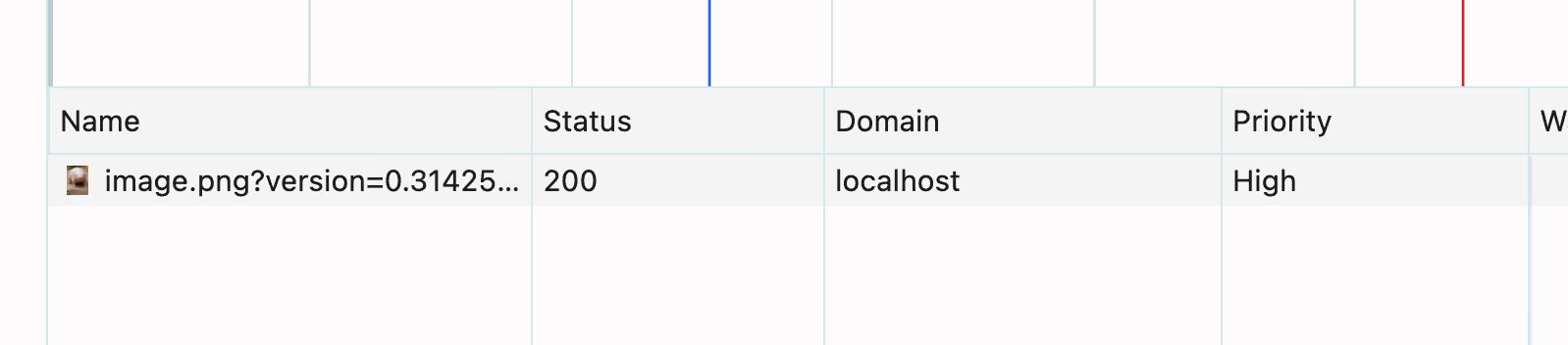
Something to note about this one that conflicts with what the internet might suggest: setting the <div> to display: none will prevent the image from downloading at all:
const div = document.createElement("div");
div.style.backgroundImage = "url('http://localhost:3000/image.png')";

// Will *NOT* work:
div.style.display = "none";

document.body.appendChild(div);
From what I can tell, doing so will remove the element from the document flow, and the browser won't bother at all to render it. (More on hiding stuff in the browser here, by the way). Be aware of that potential footgun.
#4. The Cache API
This one's brand new to me. Modern browsers expose a first-class Cache API for storing resources retrieved from some kind of request. Spin it up, and you can cache responses by passing in an Request object, or even just a URL:
const url = "http://localhost:3000/image.png";
const cache = await caches.open('images');
await cache.add(url);

const cachedResponse = await cache.match(url);
The API is Promise-based, making it helpful for guaranteeing the order of events. Consider this setup:
const url = "http://localhost:3000/image.png";
const cache = await caches.open('images');

// The timer will not start until the response is fully cached:
await cache.add(url);

setTimeout( async () => {
  const response = await cache.match(url);
  const blob = await response.blob();
  const fetchedUrl = URL.createObjectURL(blob);

  imageEl.src = fetchedUrl;
  imageEl.style.display = 'block';
}, 2000);
Even if your user is on a slow connection, you can be confident the image won't be shown until it's fully available. Look at what happens when throttling to a 4G connection. It no longer tries to pop in at exactly two seconds. It's gotta wait until it's ready.
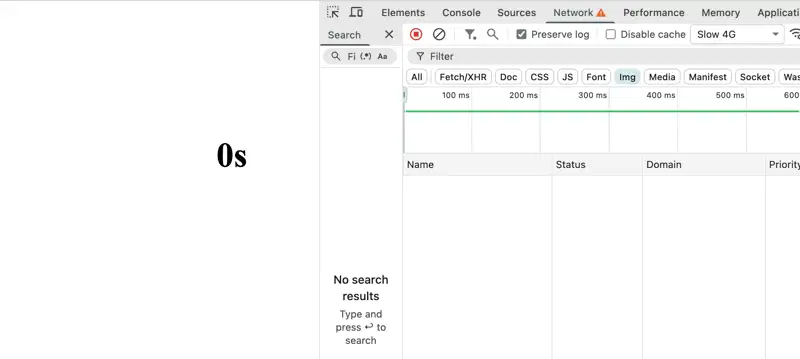
The potential drawback here is that the cache is not automatically cleared for you – it'll even persist across page loads. I ran into this myself. After a few refreshes, my cache was filling up:
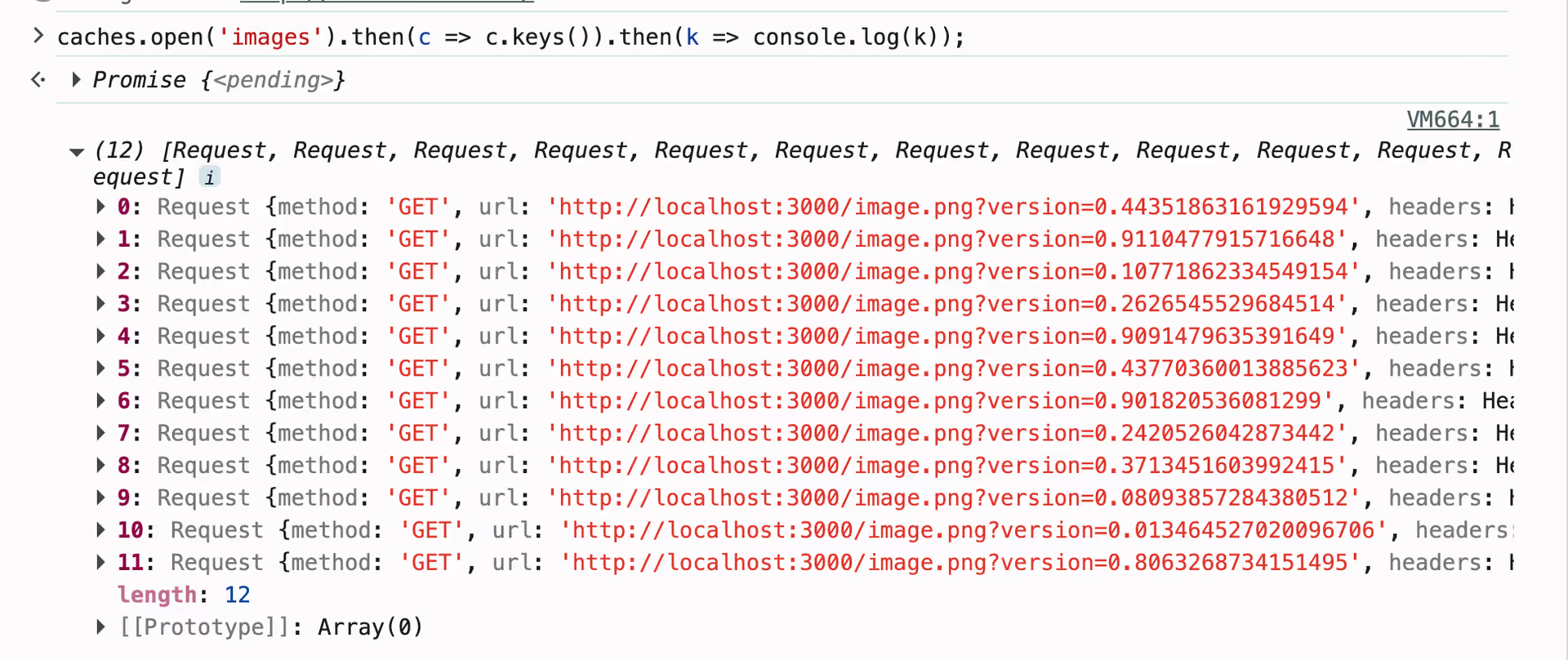
Easy enough to manage if you're disciplined about it, though:
setTimeout( async () => {
  const response = await cache.match(url);
  const blob = await response.blob();
  const fetchedUrl = URL.createObjectURL(blob);

  imageEl.src = fetchedUrl;
  imageEl.style.display = 'block';

  // Item no longer needed. Clean it up.
  cache.delete(url);
}, 3000);
Still, there's a risk of items being put in the cache and orphaned later on (especially if timeouts are involved). It's not the end of the world – the browser will clean it up eventually, but it's more polite to not need to fall back on it if you don't have to.
#5. fetch()
If you like the control of the Cache API, but don't want the responsibility of cache management, the Fetch API is also readily available. It doesn't look too different from above:
const res = await fetch("http://localhost:3000/image.png", {
  // ...options
});
const blob = await res.blob();
const fetchedUrl = URL.createObjectURL(blob);

setTimeout( async () => {
  imageEl.src = fetchedUrl;
  imageEl.style.display = 'block';
}, 3000);
The benefit to both fetch() and the Cache API is control. You can pass in all the headers you need, and have direct access to the response before anything's done with it. But with fetch(), you'll still be at the mercy of the server's Cache-Control headers, so be wary of that. This isn't threatening for the specific scenario we've been using (we only needed the response for a short time in memory). But I'm sure there are other circumstances in which this might bite you:
// Response has a 'no-store' Cache-Control value
const res = await fetch(url);
const blob = await res.blob();
const fetchedUrl = URL.createObjectURL(blob);

// It's not cached, so a cold request will be dispatched.
const res2 = await fetch(url);
Making the Best Call
For my needs, <link rel="preload" /> was clearly the best choice, but it won't be for everyone else. Here's a rundown of how I might pick an approach in the future:
- Use
new Image()if you want to hook into the loading process, or need a reference to the image for later use. - Use
<link rel="preload" />when you need to reliably preload an image and move on with your life. - Use a
<div>andbackgroundImageif you're a weirdo. I can't think of any other reason. Let me know if I'm mistaken. - Use the Cache API if you want a lot of control over the retrieval, storage, and clean-up of the preloaded resource. Or if you need the resource to stick around for a while (like between page loads).
- Use
fetch()for reasons similar to the Cache API, but you just need the for a short time in memory, and don't want to bother with cleaning anything up.
Aside: It'd Sure Be Nice
It's low on my wish list, but I'd love to see an imperative API being provided by browsers in the future. Imagine something like this:
navigator.preload({
  href: '/critical.js',
  as: 'script',
  fetchPriority: 'high'
  //... other parameters
}).then(() => {
  console.log('preloaded & cached');
}).catch(err => {
  console.error('oops, failed', err);
});
I'll settle for injecting stuff into the document for now (it's easy enough to wrap it in my own utility anyway). The most important thing is that it reliably works. After preloading immediately upon uploading, look how quickly this guy flies in:
Like I said: preloading an image is surprisingly quirky. I hope you found a nugget in here that'll help in your own future endeavors.
Get blog posts like this in your inbox.
May be irregular. Unsubscribe whenever.